For reaction creators: your own page, your own code, and an additional revenue stream
Reaction creators can now apply for their own page on ReactionSync. You get one page for all your sync links, a creator code for your viewers, and an additional revenue stream from the viewers who come for your reactions.
Full reactions, in sync with your viewers’ own show
ReactionSync is a Chrome extension that keeps a full reaction video in sync with each viewer’s own copy of the show. Your reaction plays from YouTube, Patreon, Vimeo or Google Drive. The episode plays on their own Netflix, Prime Video, Crunchyroll or JioHotstar.
When you pause the show to talk, their episode waits for you. If either video buffers, both wait. You line a reaction up once and share it as a sync link, and everyone who opens it watches in step with you.
Why we built it
Your full reactions are what your most loyal viewers want. When they leave the show out, they’re also the safe way to share a whole reaction. But they’re the hardest to watch: viewers have to keep your video lined up with their own copy by hand.
ReactionSync does that for them, so your full reactions become the easy ones to watch. We want what they earn us to flow back to you.
Your own page
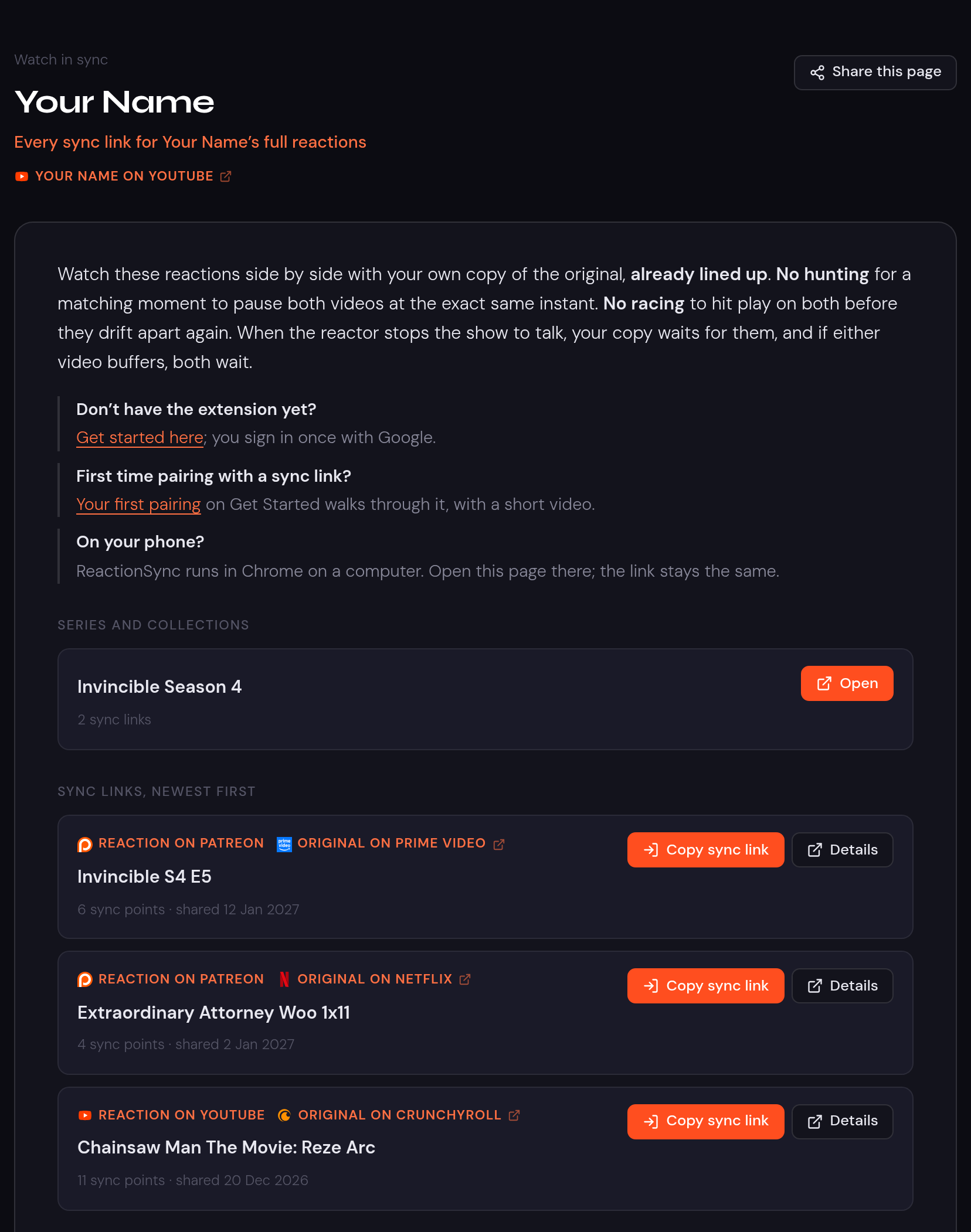
Your creator page lists every sync link and group you choose, at reactionsync.com/c?id=yourname. Post one link, and your viewers find all your reactions there.
To get one, open My stuff and choose Apply to be a creator. You pick your creator id, the name to show, and a link to your channel or Patreon. We review every application.
Your own code
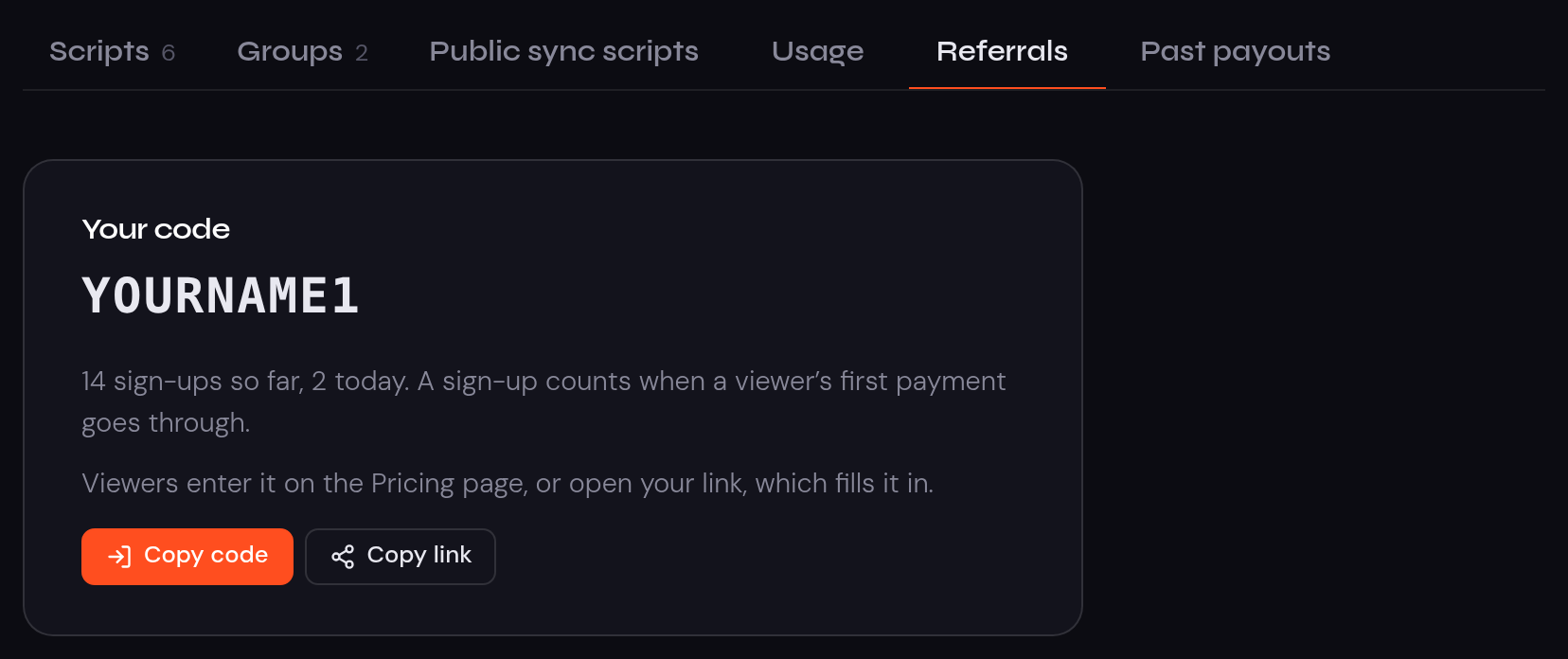
Once your page is live, request a creator code in My stuff, under Referrals. We approve each one by hand. Viewers who use your code get a discount when they first subscribe, and Copy link gives you a link that fills the code in for them.
An additional revenue stream
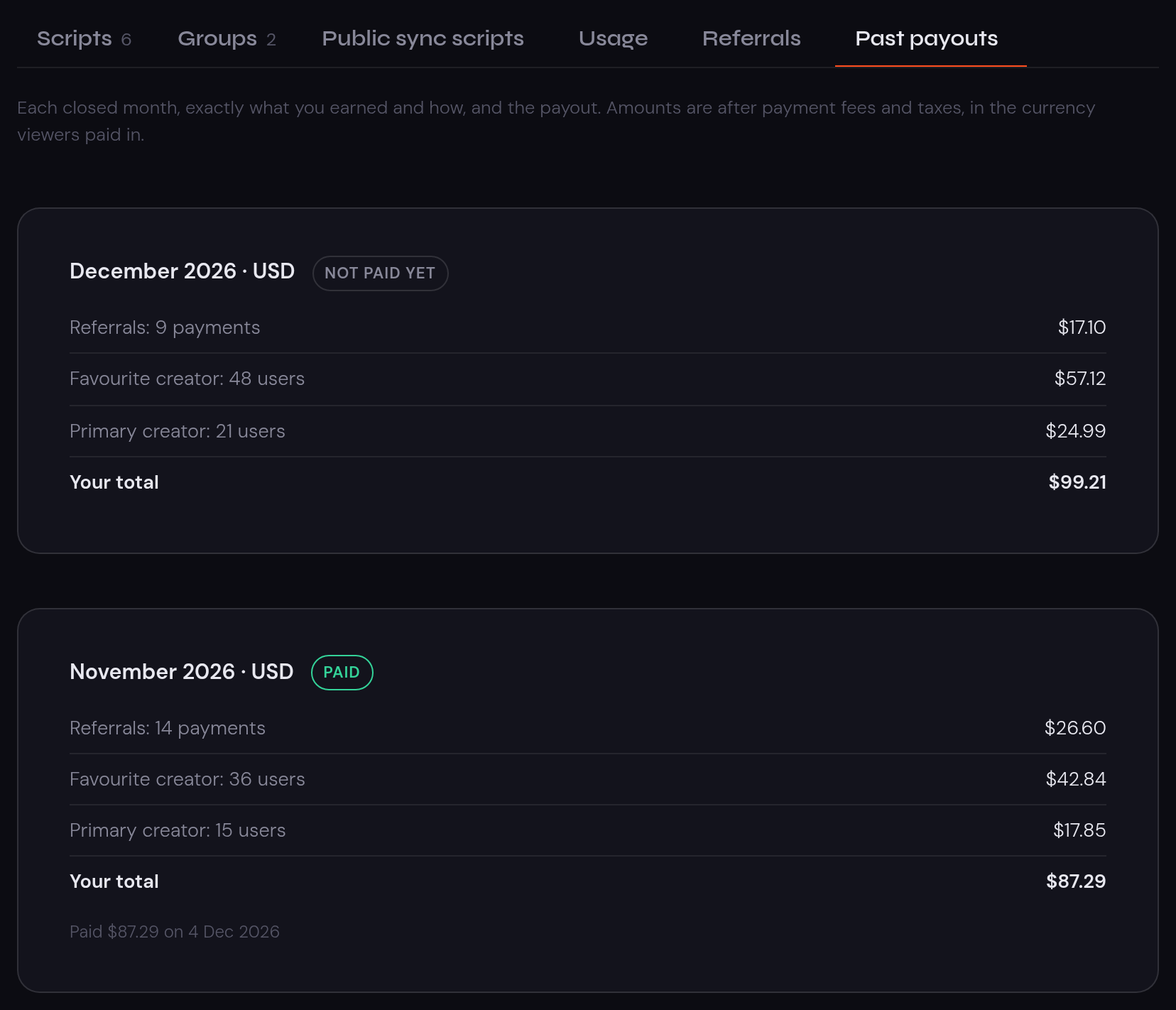
We share our subscription revenue with creators, in two ways:
- From your reactions: a share of the subscription of every paying viewer who picks you as their favourite creator, or who uses ReactionSync mostly for your reactions.
- From your code: a share of the first payments of every viewer who subscribes with your code.
My stuff shows how it’s going: Usage for your reactions, Referrals for your code, and Past payouts for what you earned each month. It never shows who your viewers are.
Watching, not making? Pick your favourite creator
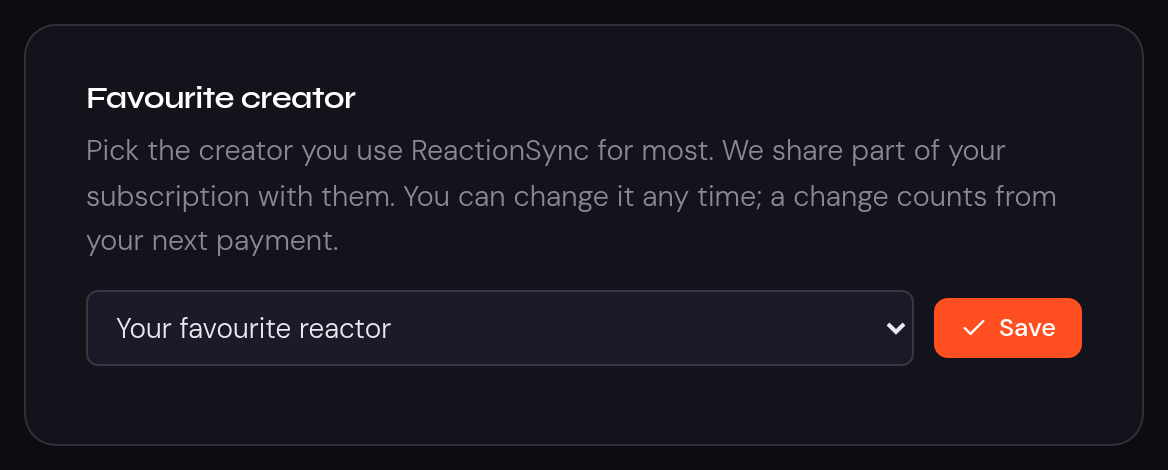
When you subscribe, you decide who gets part of your subscription. Open My stuff, go to Subscription, and pick your favourite creator. You can change it any time.
If your favourite reactor gives you a creator code, enter it on the pricing page when you subscribe.
Questions creators ask
Do my viewers need their own streaming subscription?
Yes. Each viewer watches the show on their own Netflix, Prime Video, Crunchyroll or JioHotstar account. ReactionSync never hosts, streams or unlocks the show.
How do viewers watch my reaction with a sync link?
They open your reaction and the episode side by side, press play on both, and load your sync link in the ReactionSync extension. The two stay lined up from there. Our guides walk through it for Netflix, Prime Video and Crunchyroll.
How long does it take to make a sync link?
About 10 minutes for a watch-along, and about the length of the reaction if you pause the show to talk. You make it once, and every viewer uses it. The For creators page has every step, with a video.
Want help with your first sync link? Write to support@reactionsync.com. Karthik, who built ReactionSync, reads every message.
Get started
The For creators page walks through everything: your first sync link, your page, your code and your share.
For creators